Proposal Hall
A workspace for government proposals that shows its work. It reads a solicitation, pulls out every requirement, and ties each one back to the exact line it came from.
- the problem
- Answering a government solicitation means reading a 50-page document and missing nothing, usually by hand.
- what I made
- A workspace that reads the solicitation, ties every requirement to its source, and builds the outline, the Word documents, and the schedule. I did the strategy, the interface copy, the design, and the build.
- where it lives now
- A working prototype with a public VA demo. Visit the site · Try the demo
what it is
Answering a government solicitation means reading a 50-page document and missing nothing.
Small contractors often do it by hand. They highlight the PDF, copy every requirement into a spreadsheet, build an outline, and hope nothing slipped through.
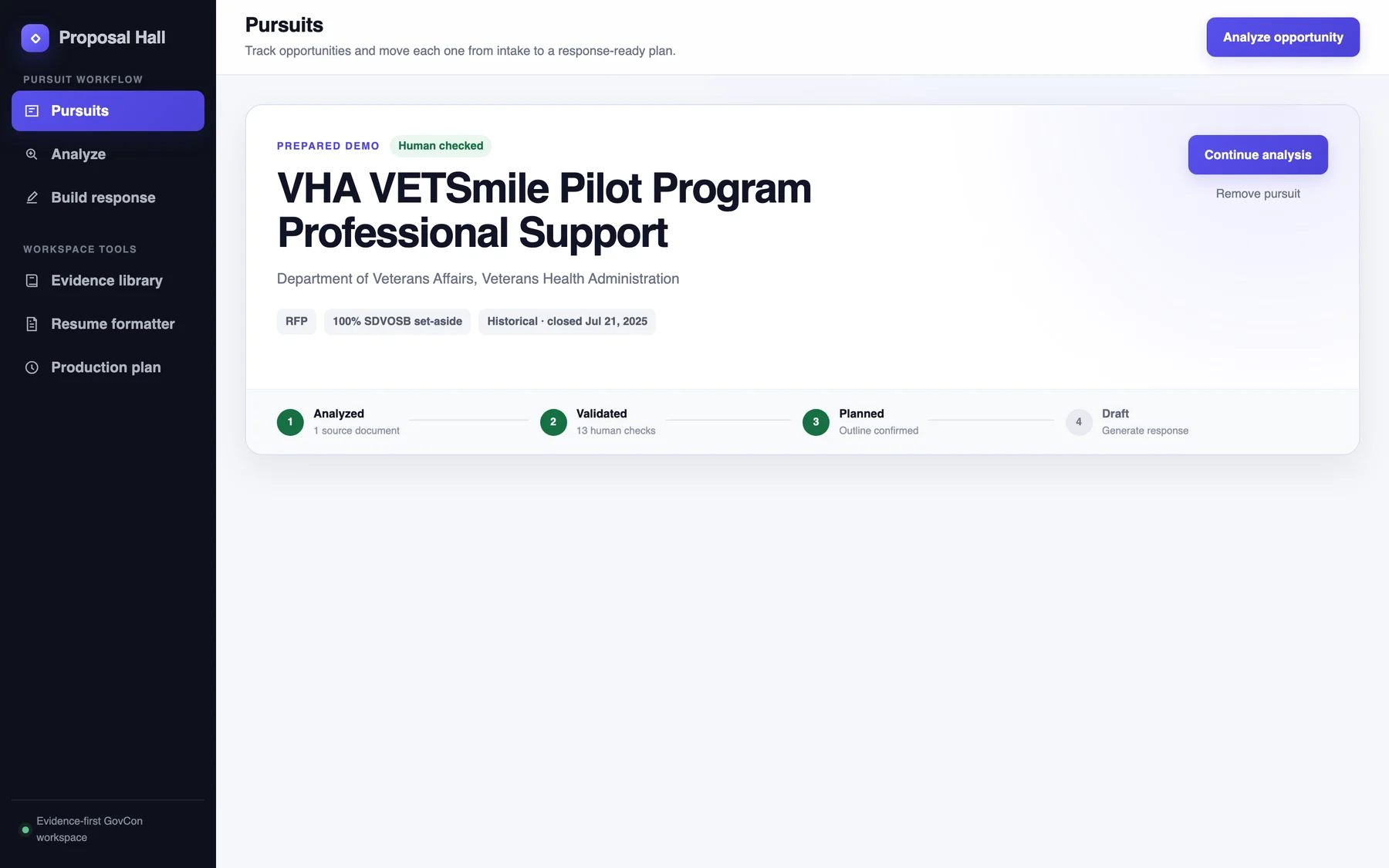
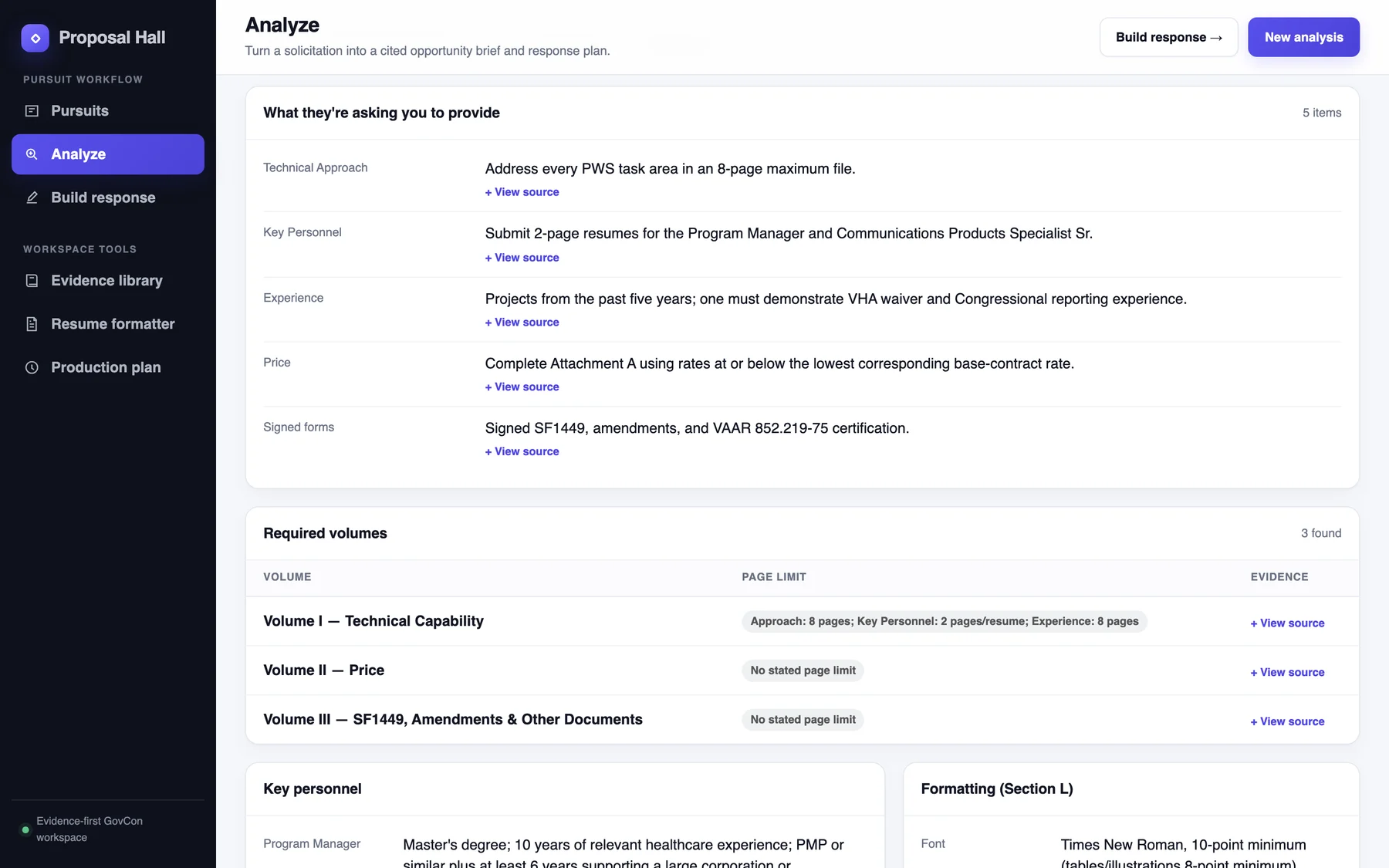
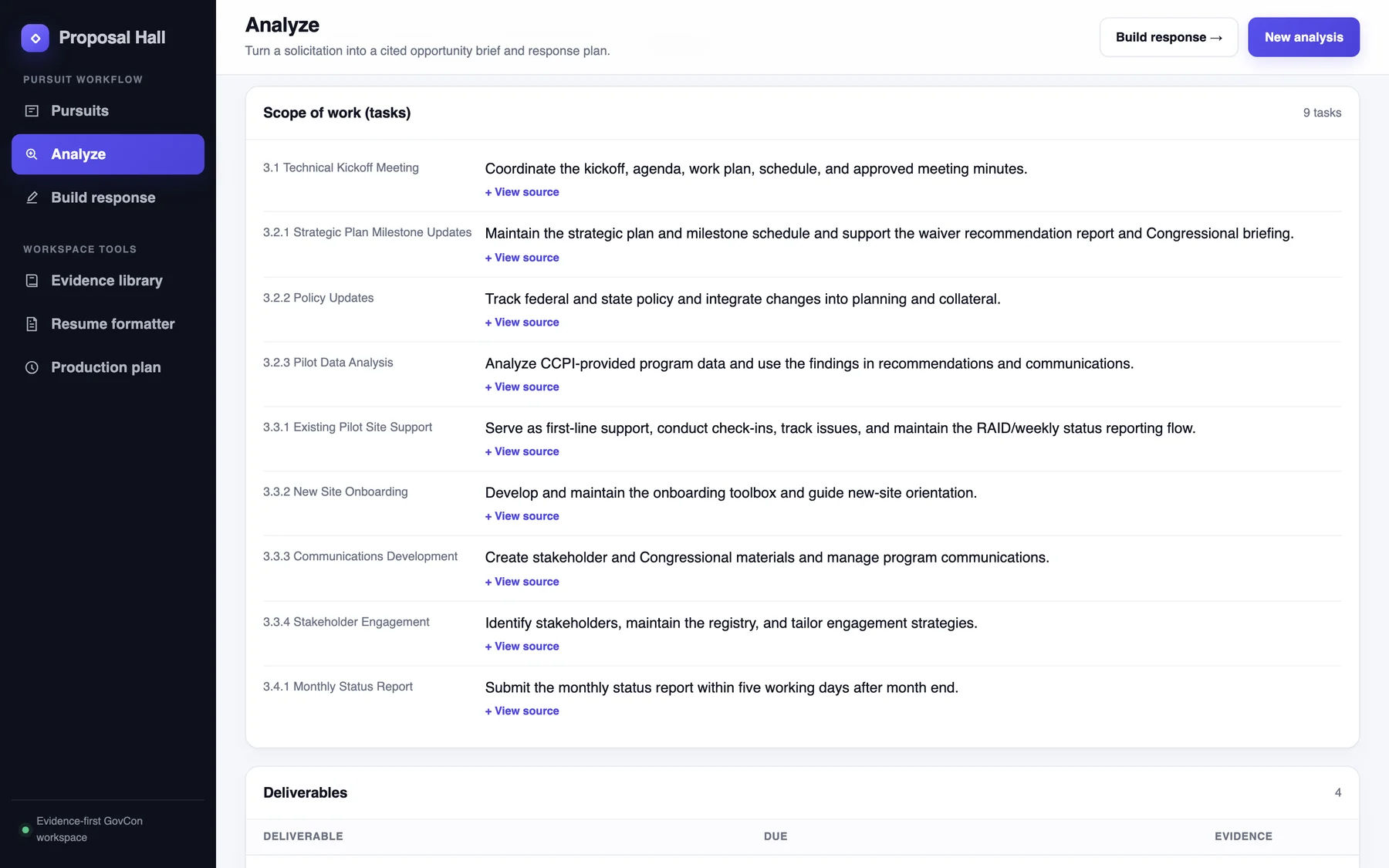
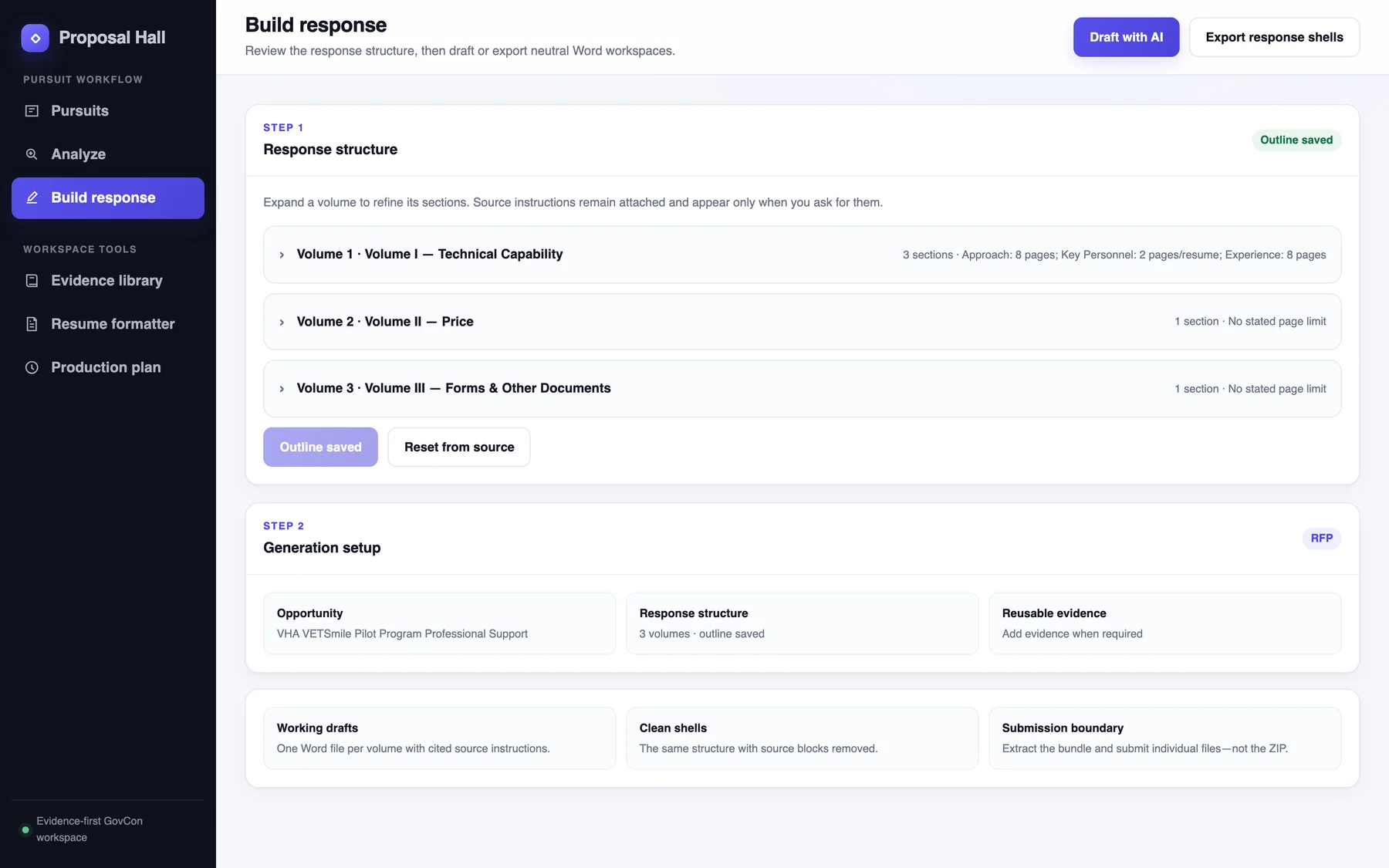
Proposal Hall does the reading. Drop in the solicitation and it pulls out what the agency wants: the volumes, the page limits, the formatting rules, how bids are scored, the key people, and the deadline. Each item links back to the passage it came from.
Then it builds the response outline, the Word documents, and the production schedule, and a person stays in charge of every decision.
the strategy
In a federal proposal, a confident wrong answer is worse than no answer. So the product rests on one promise: every answer shows its source.
-
Show the work.
Every requirement, date, and rule carries a “View source” link to the passage it came from. You never have to take the tool’s word for it.
-
Flag, don’t guess.
When a solicitation contradicts itself, Proposal Hall keeps both readings, marks the item for review, and drafts a question for the agency.
-
Keep people in charge.
A person confirms the analysis before anything is drafted, and only the evidence they select goes into the response.
-
Never invent numbers.
Proposal Hall doesn’t make up rates or prices. It points to the pricing forms the agency provided.
-
Work the way proposal teams work.
Pursue-or-pass decisions, required volumes, color-team reviews, and a production schedule. I write real proposals, so the tool follows the real process.
the name
BidDesk Proposal Hall
The first spec, in June, used a working name: BidDesk. The product shipped as Proposal Hall.
proof, on screen
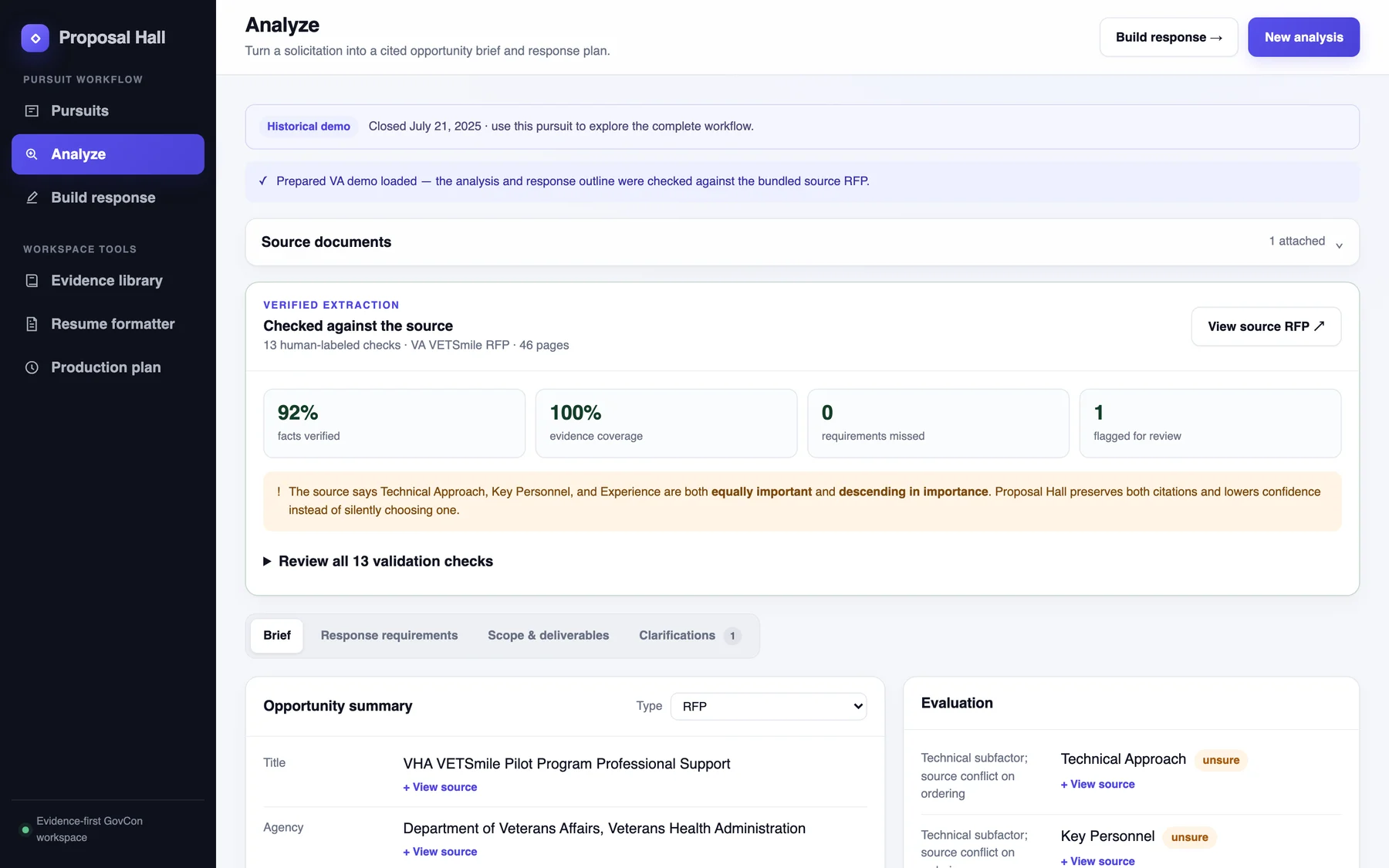
A tool that asks for trust should earn it in public. The prepared demo checks its own reading of a 46-page VA solicitation against 13 answers a person labeled by hand.
- 92%
- facts verified
- 100%
- evidence coverage
- 0
- requirements missed
- 1
- flagged for review, on purpose
The one flag is real. The solicitation says three scoring factors are “equally important” and also “descending in order of importance.” Proposal Hall keeps both citations and lowers its confidence instead of quietly picking one.
the words
Trust is mostly a writing problem. The interface has to say what it knows, how it knows it, and where it isn’t sure.
the proposal team’s vocabulary
The navigation reads like the job. The first group follows one opportunity from start to finish: find it, analyze it, build the response. The second group holds the tools you reach for along the way.
Inside, I kept the words proposal teams already use: pursuits, volumes, key personnel, color-team reviews. Nobody should have to learn a new language to use a tool for their own job.
sentences that show their work
Drop a solicitation to begin. Proposal Hall identifies the opportunity, extracts the response requirements, and keeps every result tied to source evidence.
the empty Analyze screenOnly the items you select are inserted into the response workspace.
the evidence libraryProposal Hall preserves the facts, tightens the presentation, and returns a neutral Word document ready for proposal review.
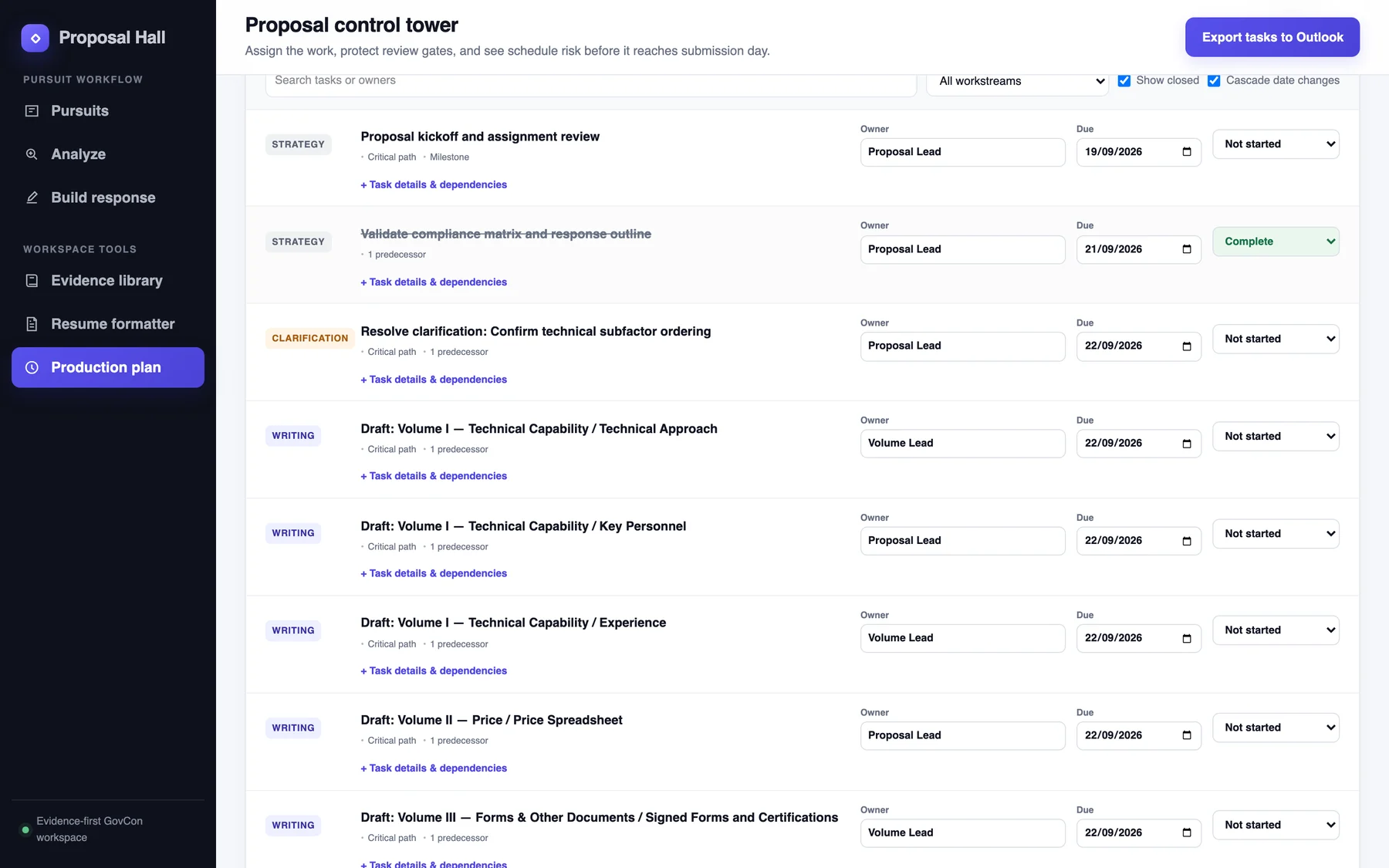
the resume formatterAssign the work, protect review gates, and see schedule risk before it reaches submission day.
the production planSource change detected. The opportunity changed after this plan was generated.
when an amendment lands
a question the agency can answer
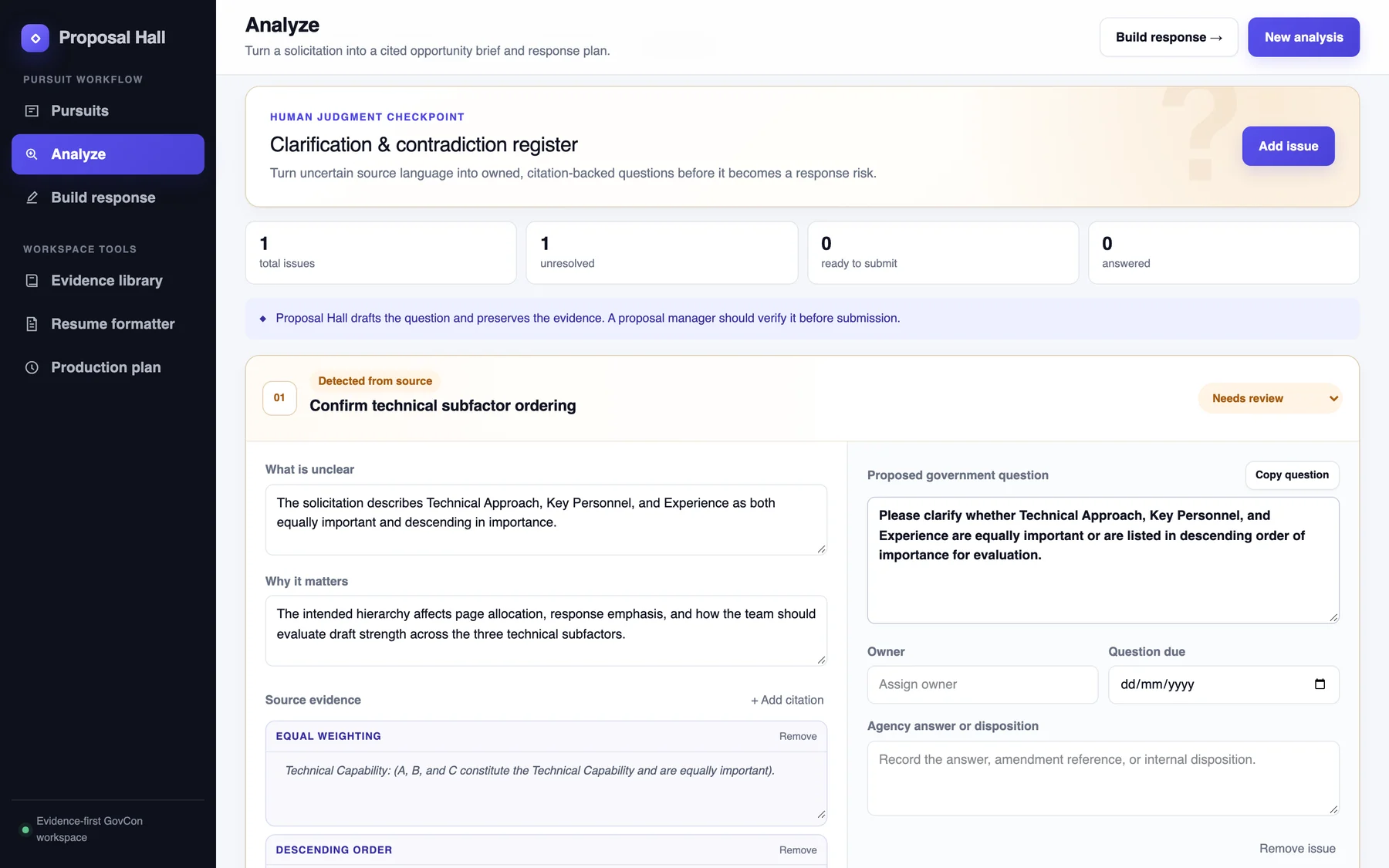
When the solicitation is unclear, Proposal Hall writes it up the way a proposal manager would: what is unclear, why it matters, and the evidence, quoted.
Then it drafts the question in plain words, ready to send:
“Please clarify whether Technical Approach, Key Personnel, and Experience are equally important or are listed in descending order of importance for evaluation.”
It stays a draft until a person owns it, dates it, and records the agency’s answer.
labels that admit doubt
Small labels carry the honesty. “Unsure” sits next to any field the source contradicts. “Human checked” means a person confirmed it. The demo is labeled historical, because its deadline has passed.
A tool that admits doubt is easier to trust than one that sounds sure about everything.
the design
Dense work, calm screen. The workflow lives in a dark sidebar, and the work lives on a light page.
one accent
One indigo for action. Green, amber, and red only ever mean status: confirmed, needs review, at risk.
- indigo
#4F46E5 - ink
#121522 - canvas
#F5F7FB - line
#E4E7EE - confirmed
#167044 - review
#A65B12 - risk
#B42318
evidence you can click
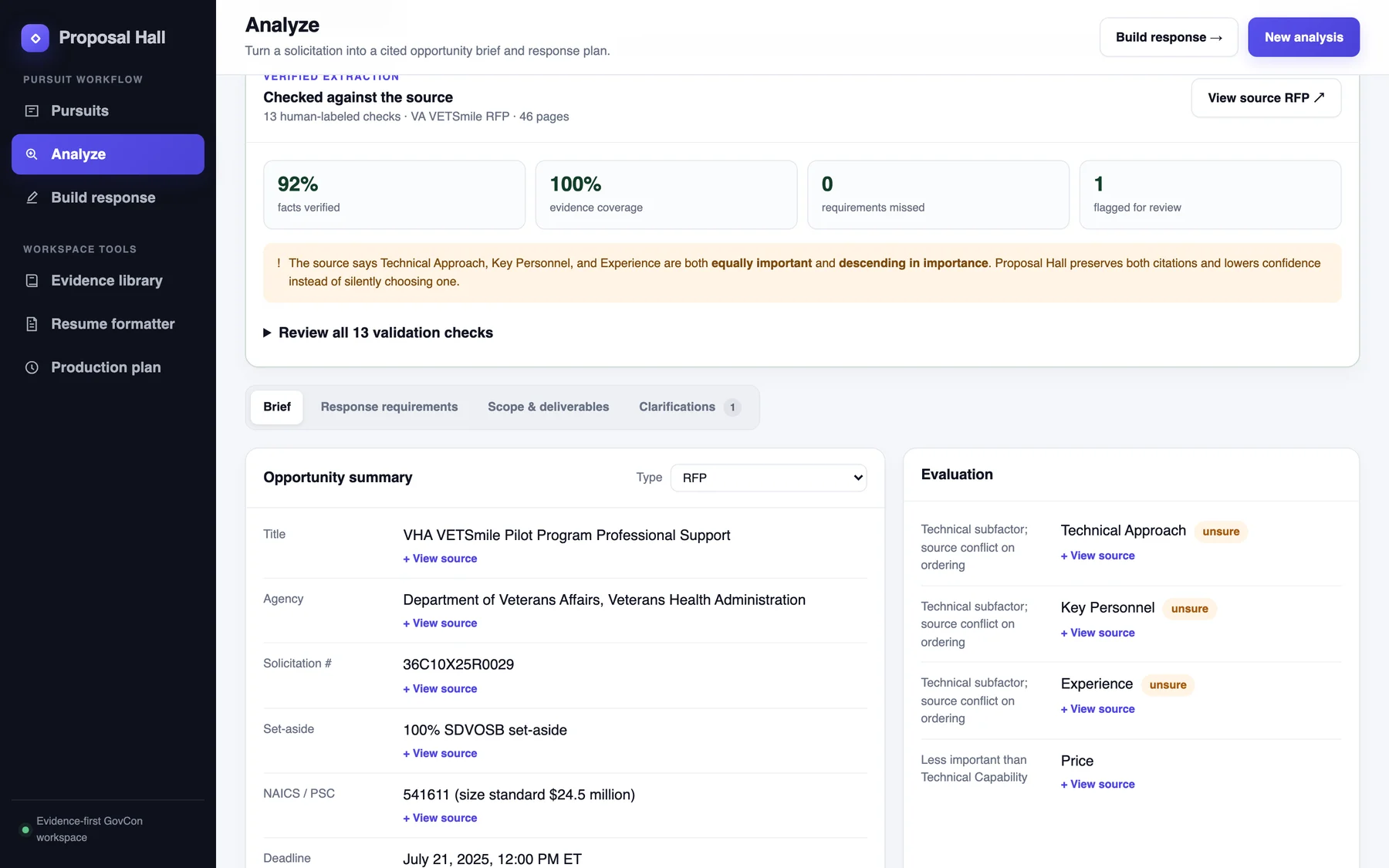
The source check sits at the top of the analysis, above everything it vouches for. Its four numbers come first, then the one problem it found, then the summary.
Every field below has a “View source” link. The uncertain ones carry an amber “unsure” tag, so your eye goes straight to what needs a human.
the control tower
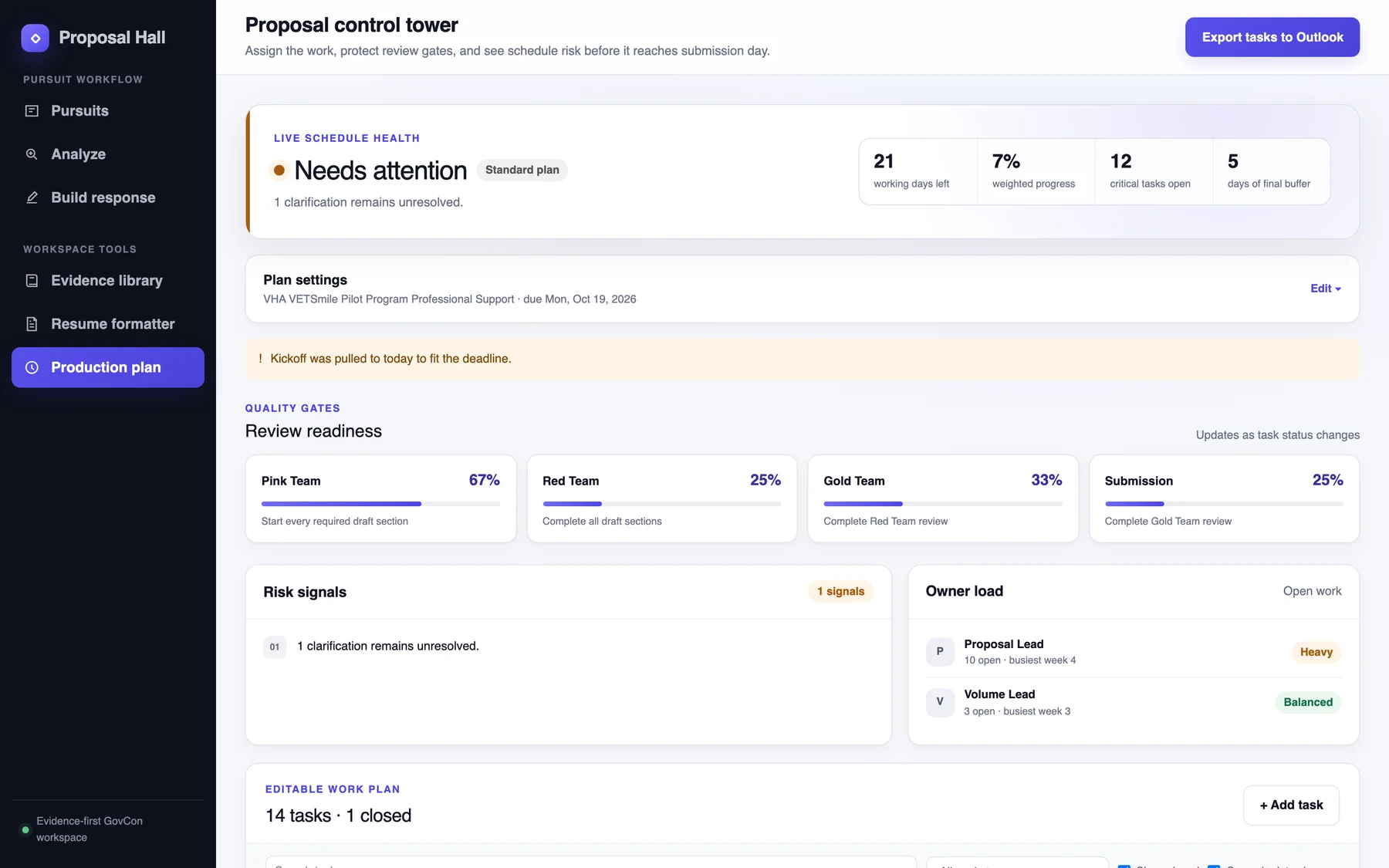
The production plan turns the deadline into a schedule people can own: tasks, owners, dates, and color-team reviews, with a health bar at the top.
It counts working days left, critical tasks still open, and days of buffer before submission. If the agency changes the solicitation, the plan says so and offers to replan. Tasks export to Outlook.
Word documents that look finished
Proposals still ship as Word files, so I designed the output too: a neutral proposal style with real covers, real Word headings, page numbers, and placeholders for any company’s name and logo. The working version carries the instructions in colored callouts marked “delete before submitting.” The clean version leaves them out.
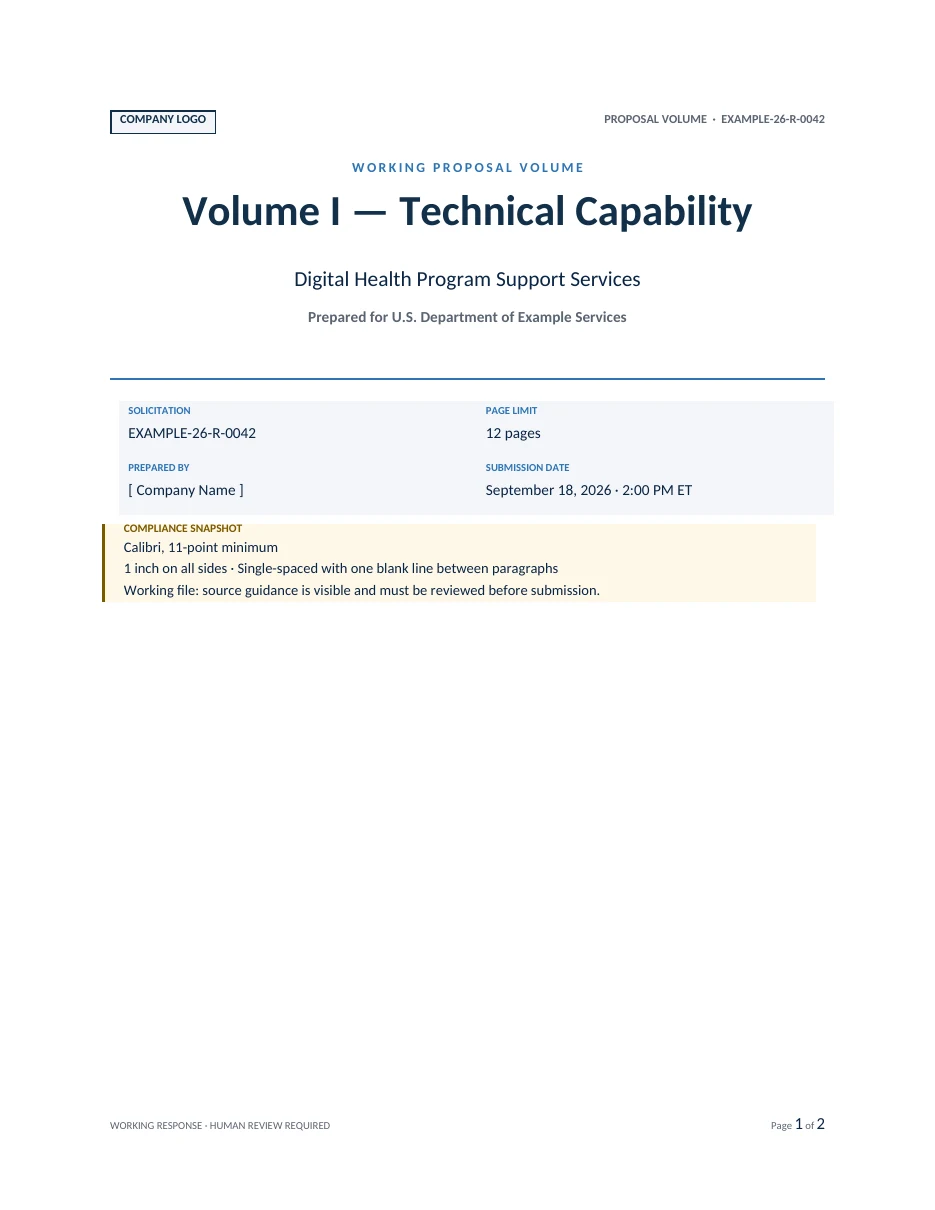
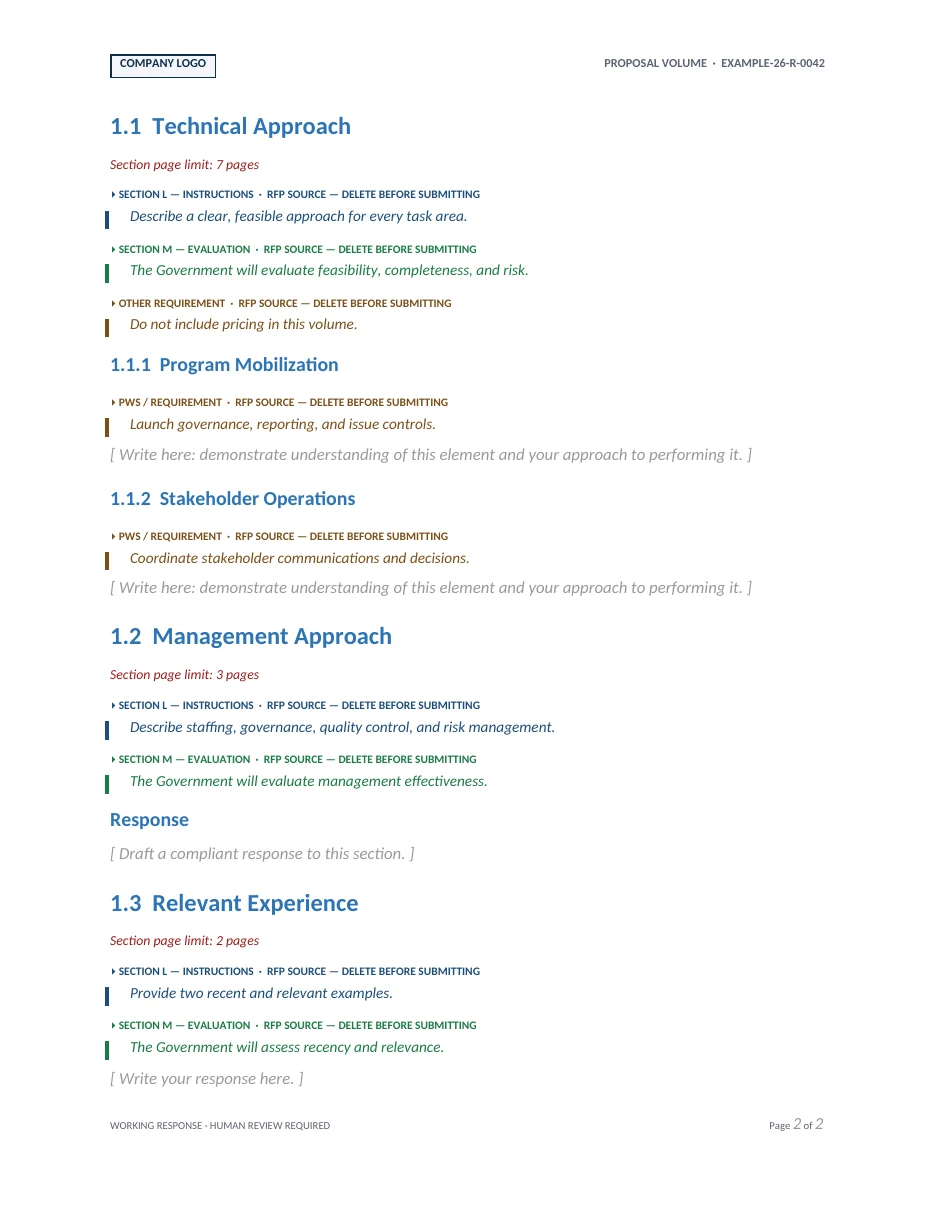
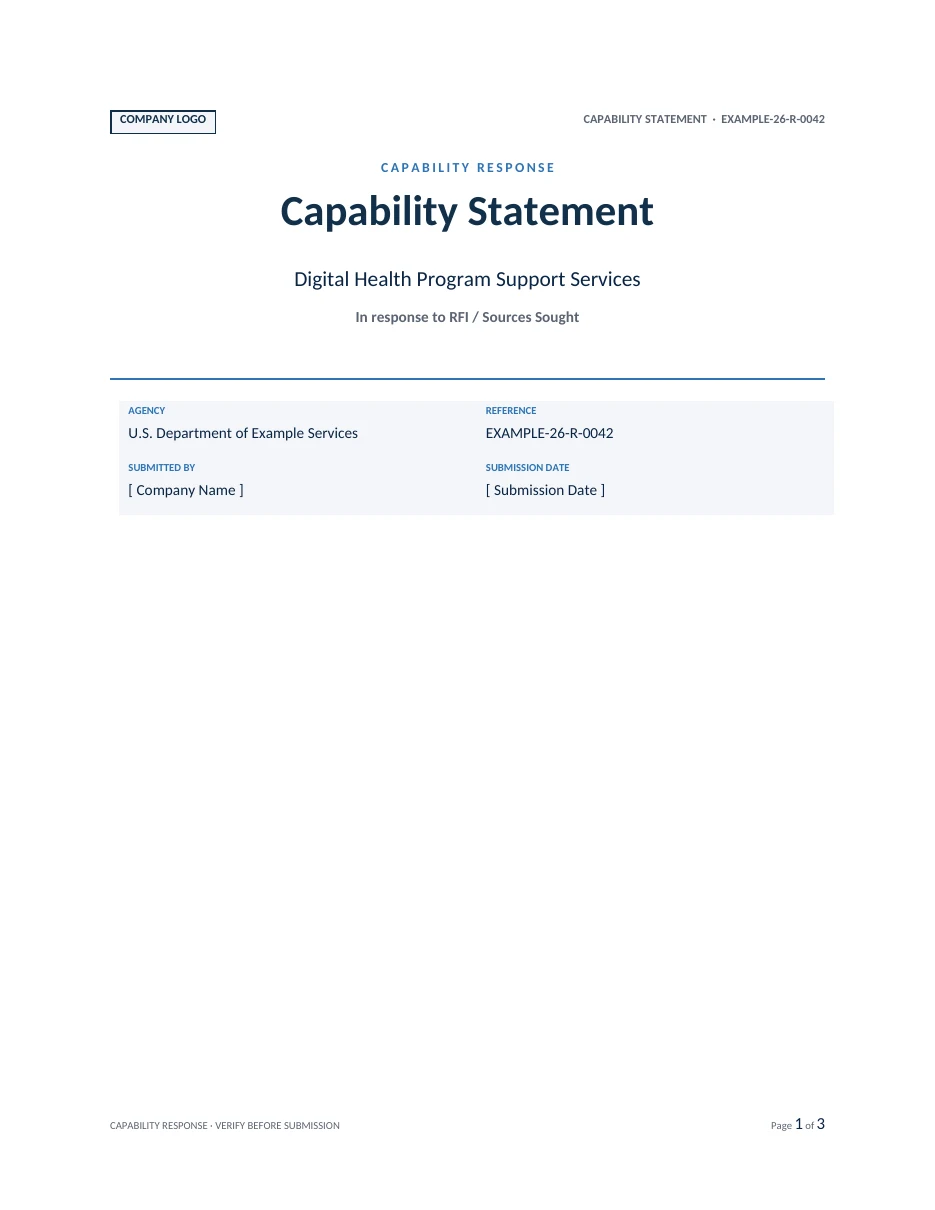
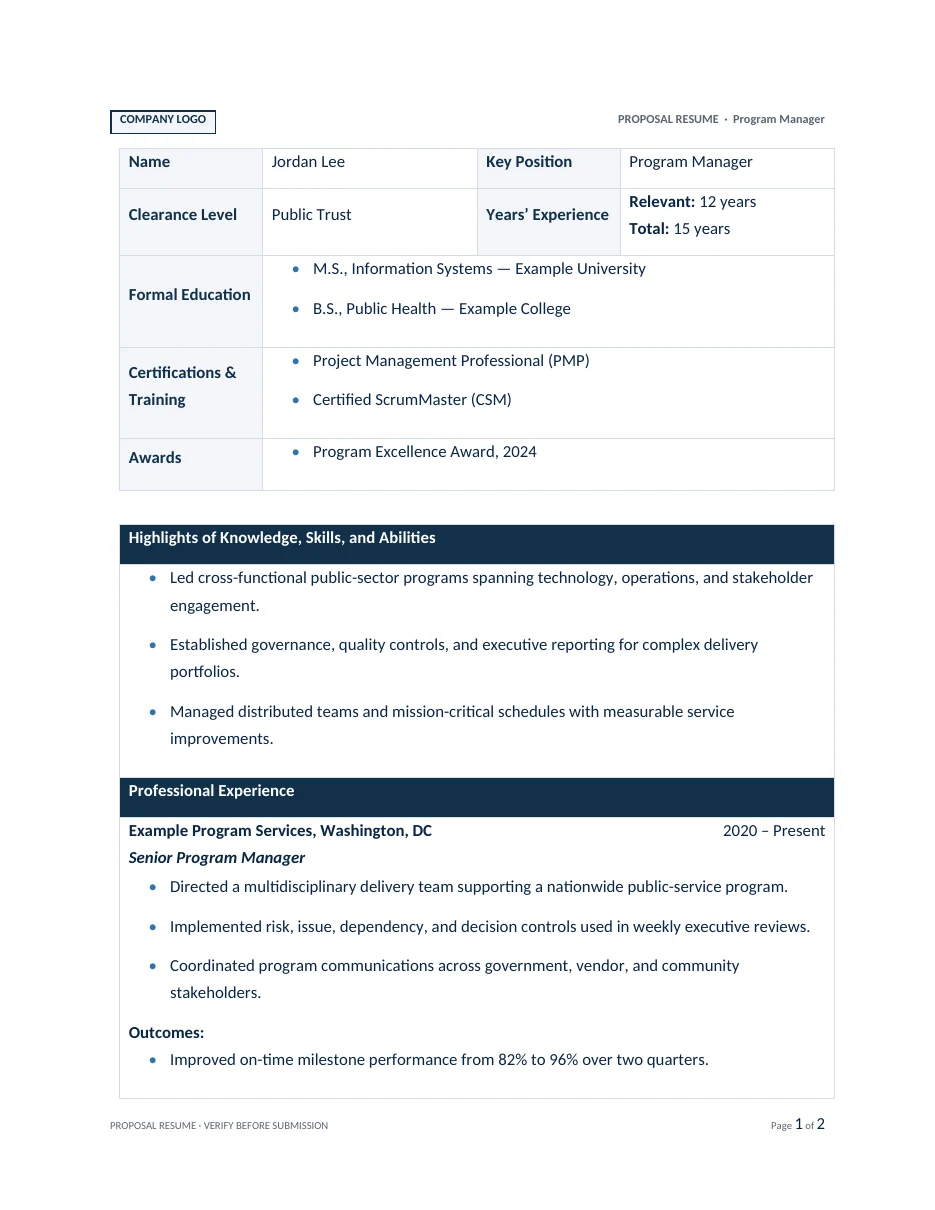
Shown with sample data. No real company or proposal content.
empty screens that explain themselves
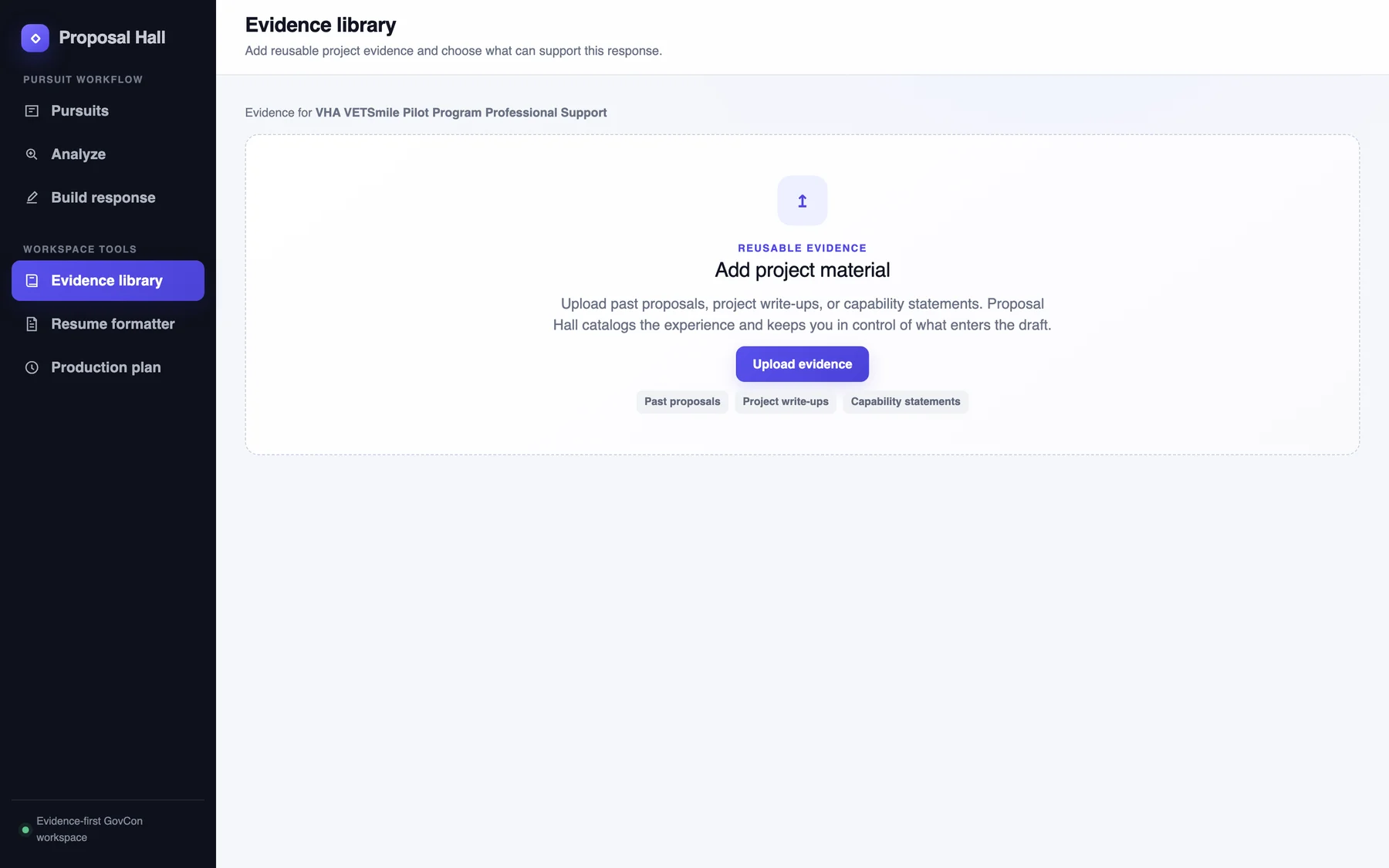
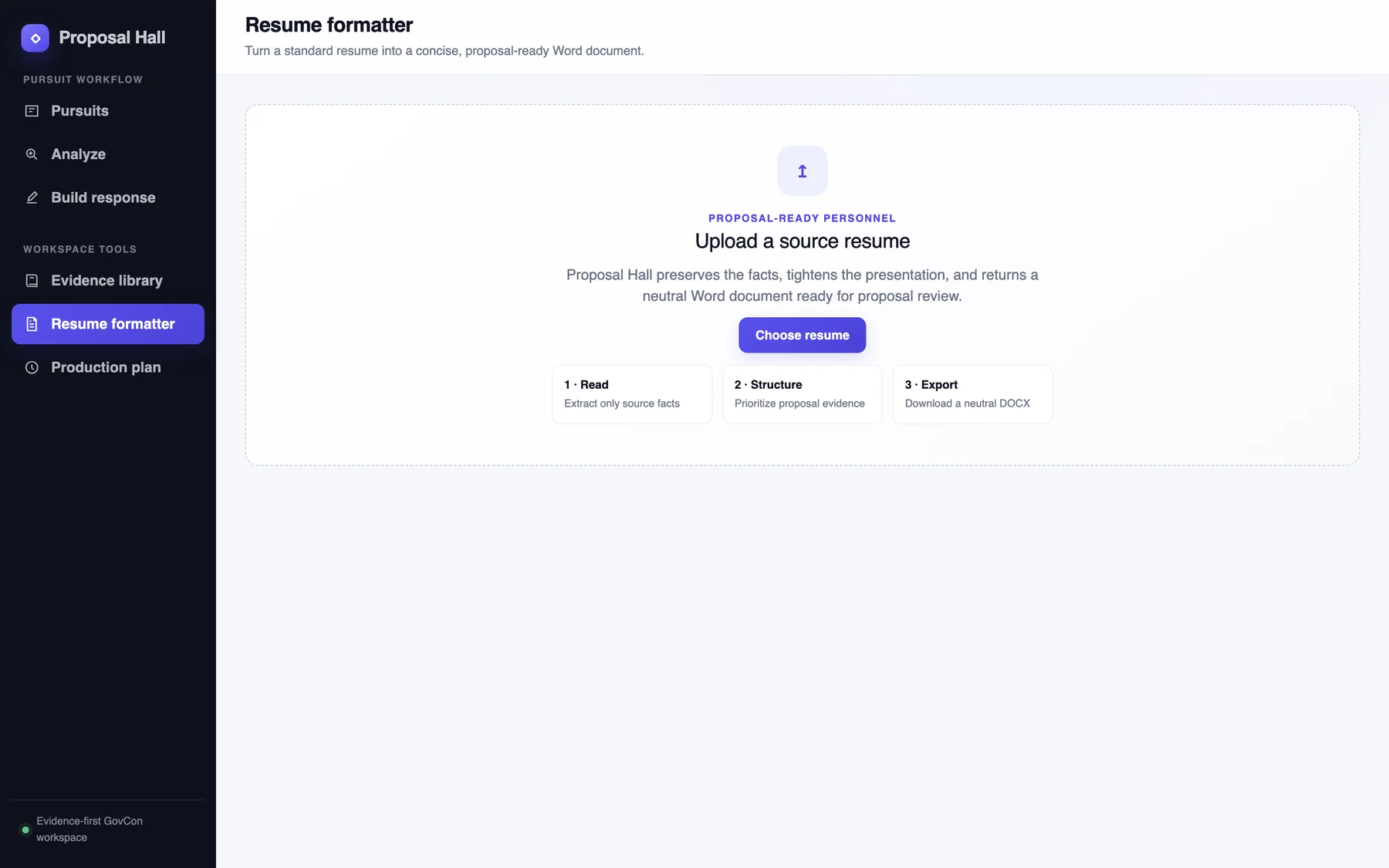
Each empty screen says what goes there, what happens to it, and what stays under your control.
built, too
I built it end to end and deployed it on Vercel.
It’s a Next.js and TypeScript app that uses AI models for live analysis and first drafts. The prepared demo needs no AI at all: its analysis, outline, and benchmark are built in, so anyone can try it in seconds.
The public version is deliberately clean: no employer data, a made-up company profile, and a historical VA solicitation that anyone can read.
next
Commonwealth