Proposal Hall reads a government solicitation, pulls out every requirement, and ties each one to the line it came from. Then it builds the outline, the Word documents, and the production schedule, with a person in charge of every decision.
The demo uses a historical VA solicitation anyone can read. No account, no AI calls, takes seconds.
Proposal Hall · Analyze · checked against the source
The problem
Answering a solicitation means reading 50 pages and missing nothing.
Small contractors usually do it by hand. Highlight the PDF, copy every requirement into a spreadsheet, build an outline, and hope nothing slipped through.
L
Requirements hide in Sections L and M
Volumes, page limits, fonts, evaluation factors, and key personnel are scattered across instructions, evaluation criteria, and the statement of work.
?
The solicitation contradicts itself
One paragraph says three factors are equally important. Another lists them in descending order. A tool that picks one silently is worse than no tool.
30
The deadline is the whole schedule
Color-team reviews, owners, and buffer days get worked out on a whiteboard, then redrawn when an amendment lands.
How it works
One opportunity, start to finish.
The navigation reads like the job: find it, analyze it, build the response, run the schedule. Nobody has to learn a new language to use a tool for their own work.
01 · Pursuits
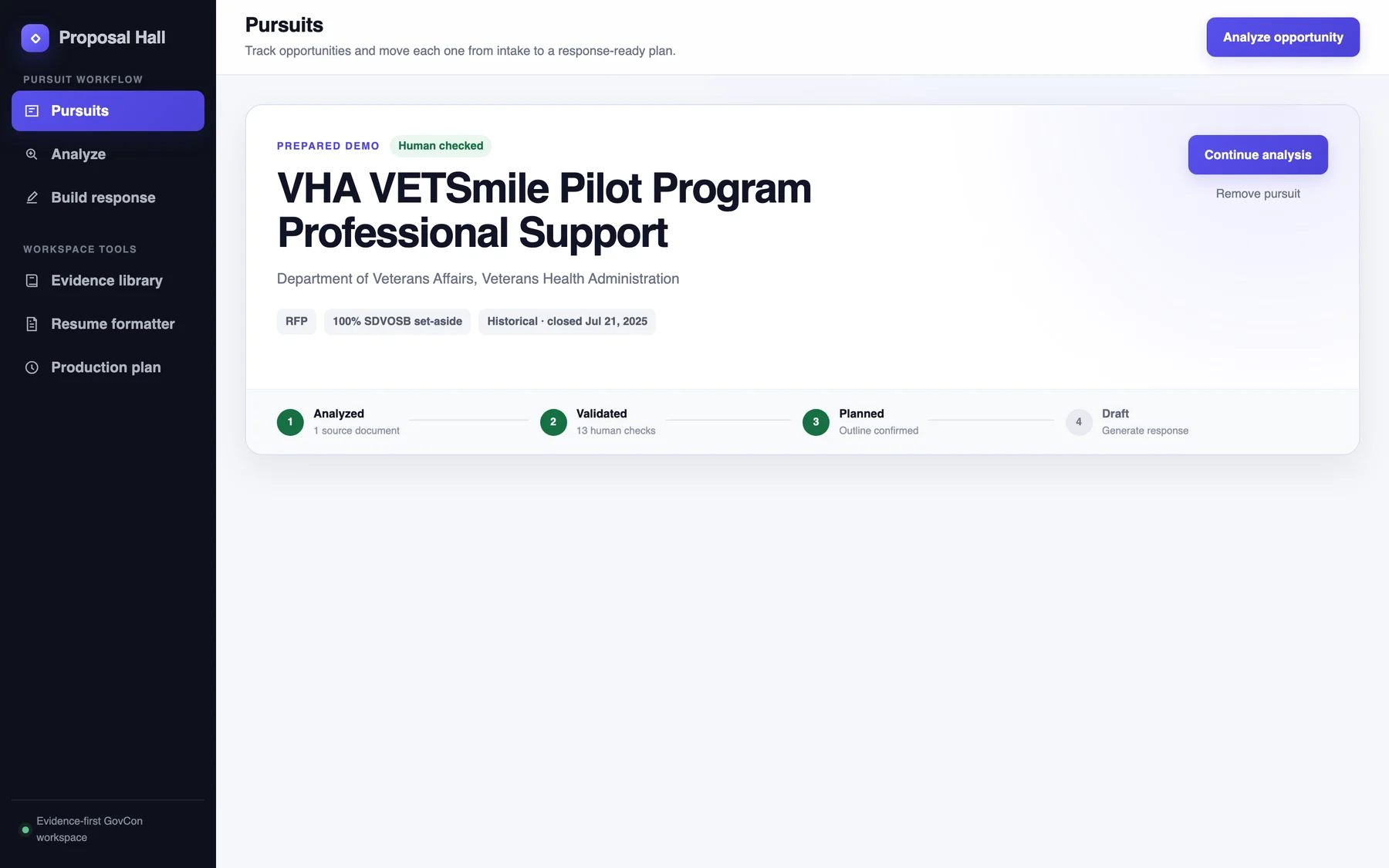
Track each opportunity from intake to response-ready
Every pursuit shows where it stands: analyzed, validated, planned, drafting. Set-aside, type, agency, and deadline sit at the top, so pursue-or-pass decisions have what they need.
Pursuits
02 · Analyze
Drop in the solicitation. Get a cited brief back.
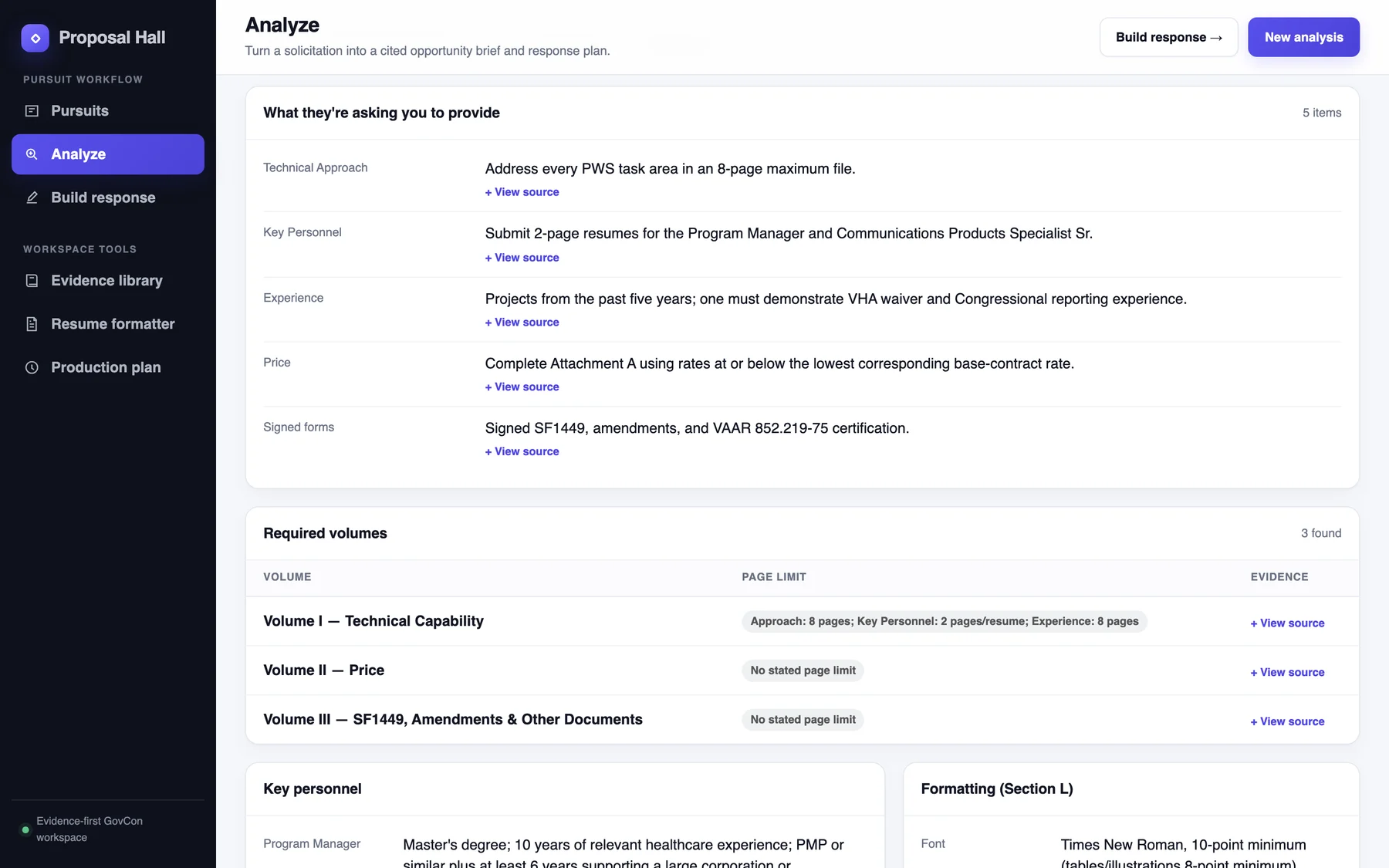
Proposal Hall pulls out what the agency wants: the volumes, page limits, formatting rules, how bids are scored, key personnel, and the deadline.
Every item links to the passage it came from.
Conflicting readings are kept, marked “unsure,” and routed to a person.
Unclear language becomes a drafted question for the agency.
Analyze · Response requirements
03 · Build response
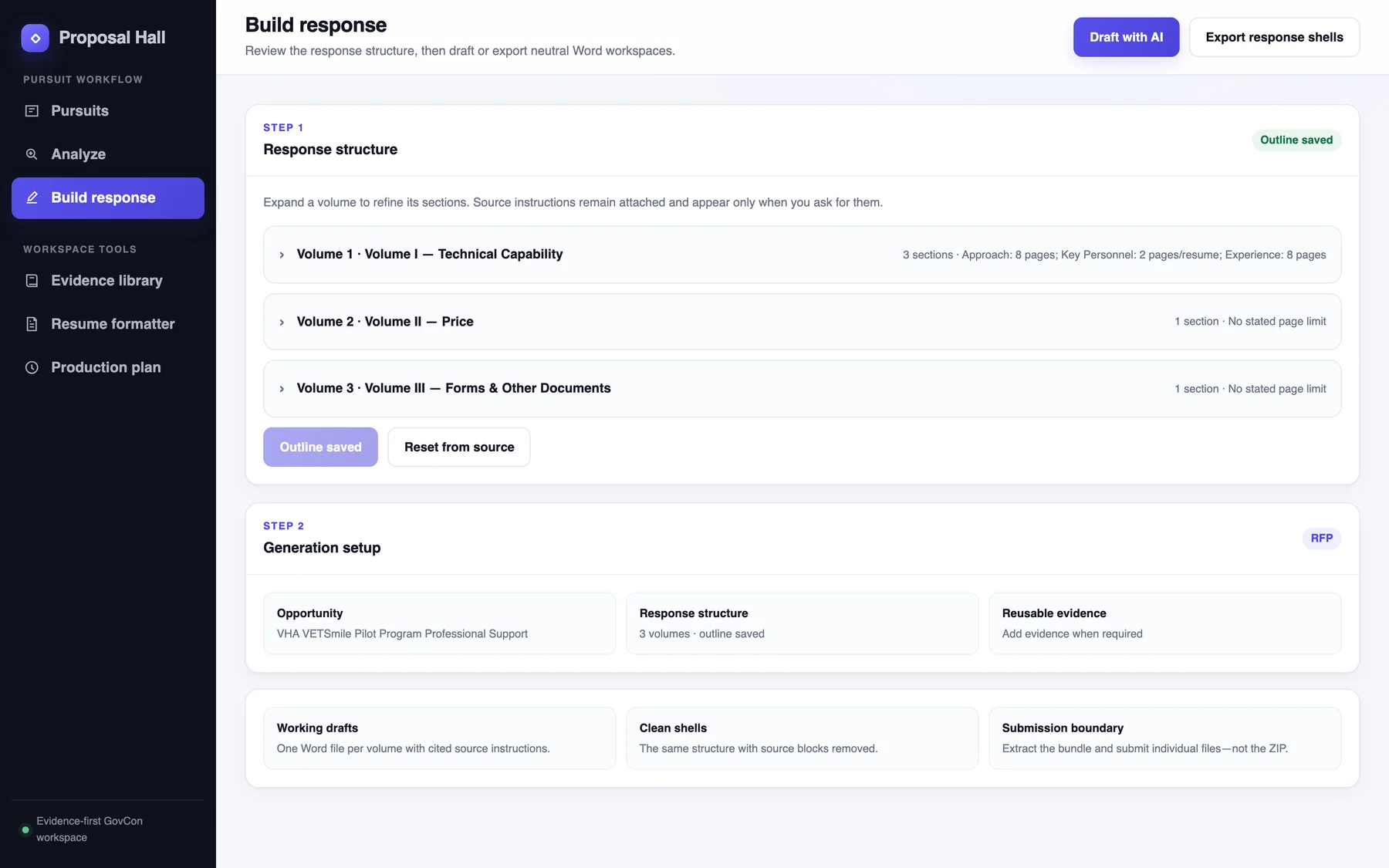
Confirm the outline, then draft or export
The response structure comes straight from the analysis. A person confirms it before anything is drafted, and only the evidence they select goes into the response. Export working drafts with the source instructions attached, or clean shells without them.
Build response
04 · Production plan
Turn the deadline into a schedule people can own
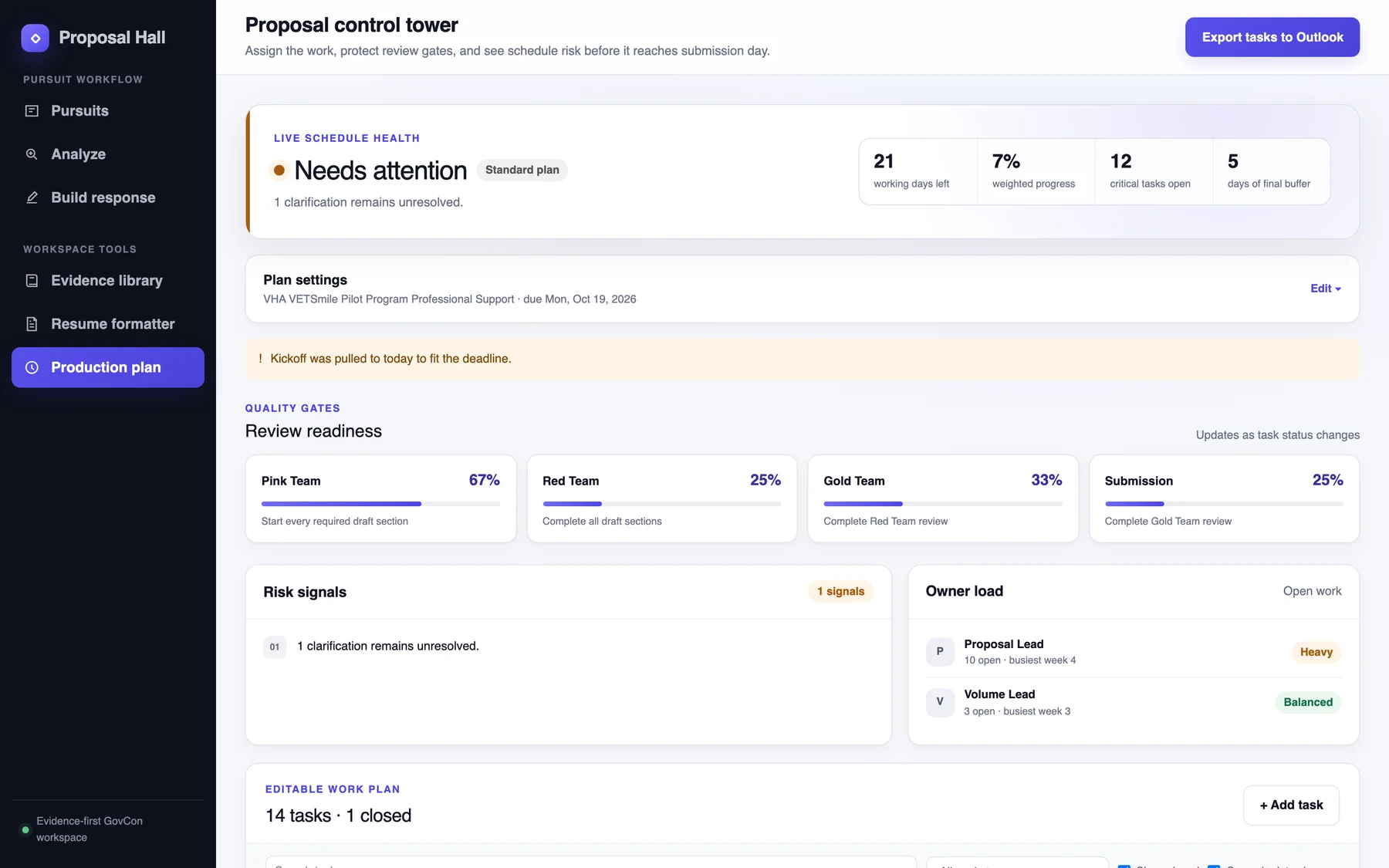
Tasks, owners, dates, and color-team reviews, with a health bar at the top. It counts working days left, open critical tasks, and buffer before submission. When an amendment changes the solicitation, the plan says so and offers to replan. Tasks export to Outlook.
Production plan
Principles
In a federal proposal, a confident wrong answer is worse than no answer.
So the product rests on one promise, and four rules that follow from it.
Show the work
Every requirement, date, and rule carries a View source link. You never take the tool’s word for it.
Flag, don’t guess
When the solicitation contradicts itself, both readings stay, the item is marked for review, and a question is drafted.
Keep people in charge
A person confirms the analysis before anything is drafted. Only the evidence they select enters the response.
Never invent numbers
No made-up rates or prices. It points to the pricing forms the agency provided.
Work the way teams work
Pursue-or-pass, required volumes, color-team reviews, a production schedule. Built by someone who writes real proposals.
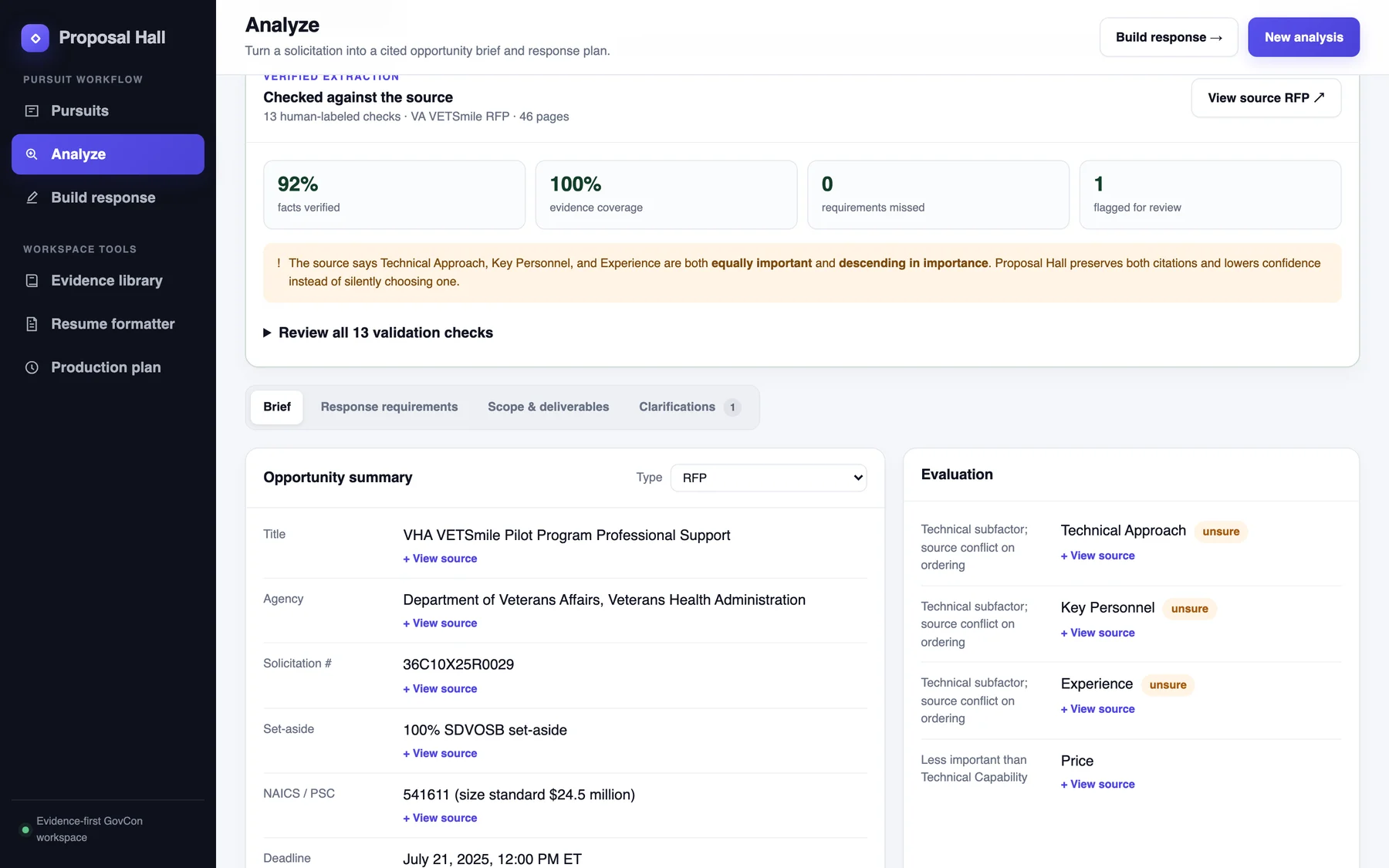
Human checkedunsureNeeds reviewView sourceHistorical demo
Small labels carry the honesty. “Unsure” sits next to any field the source contradicts. “Human checked” means a person confirmed it. The demo is labeled historical because its deadline has passed.
Proof, on screen
A tool that asks for trust should earn it in public.
The prepared demo checks its own reading of a 46-page VA solicitation against 13 answers a person labeled by hand. The results sit at the top of the analysis, above everything they vouch for.
92%facts verified
100%evidence coverage
0requirements missed
1flagged for review, on purpose
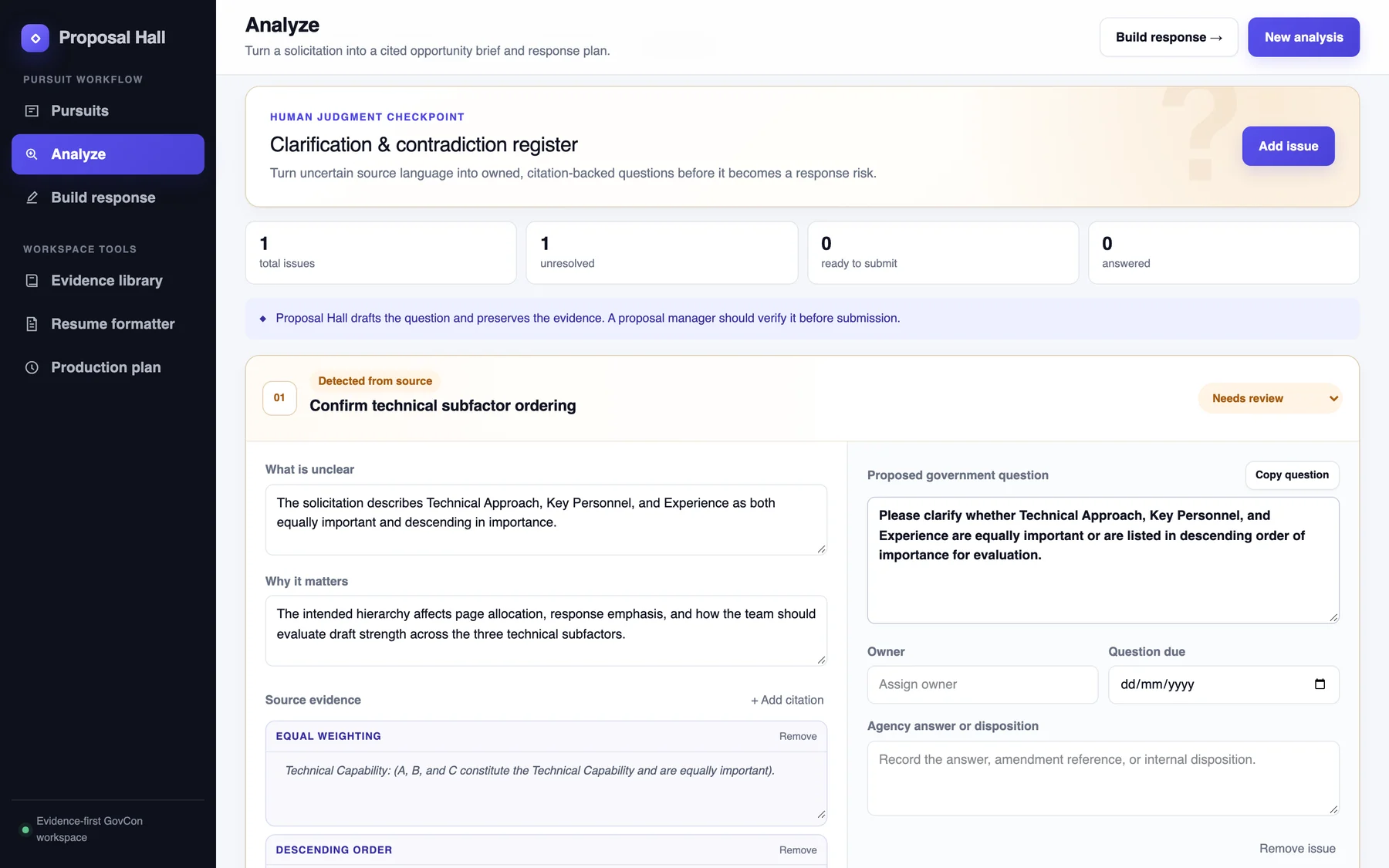
The one flag is real. The solicitation says three scoring factors are “equally important” and also “descending in order of importance.” Proposal Hall keeps both citations and lowers its confidence instead of quietly picking one.
One solicitation, thirteen checks. It shows how the product behaves, not how accurate it is in general.
Analyze · Clarifications
When the source is unclear, it writes the question a proposal manager would: what is unclear, why it matters, the evidence quoted, and a draft ready to send. It stays a draft until a person owns it.
Output
Word documents that look finished.
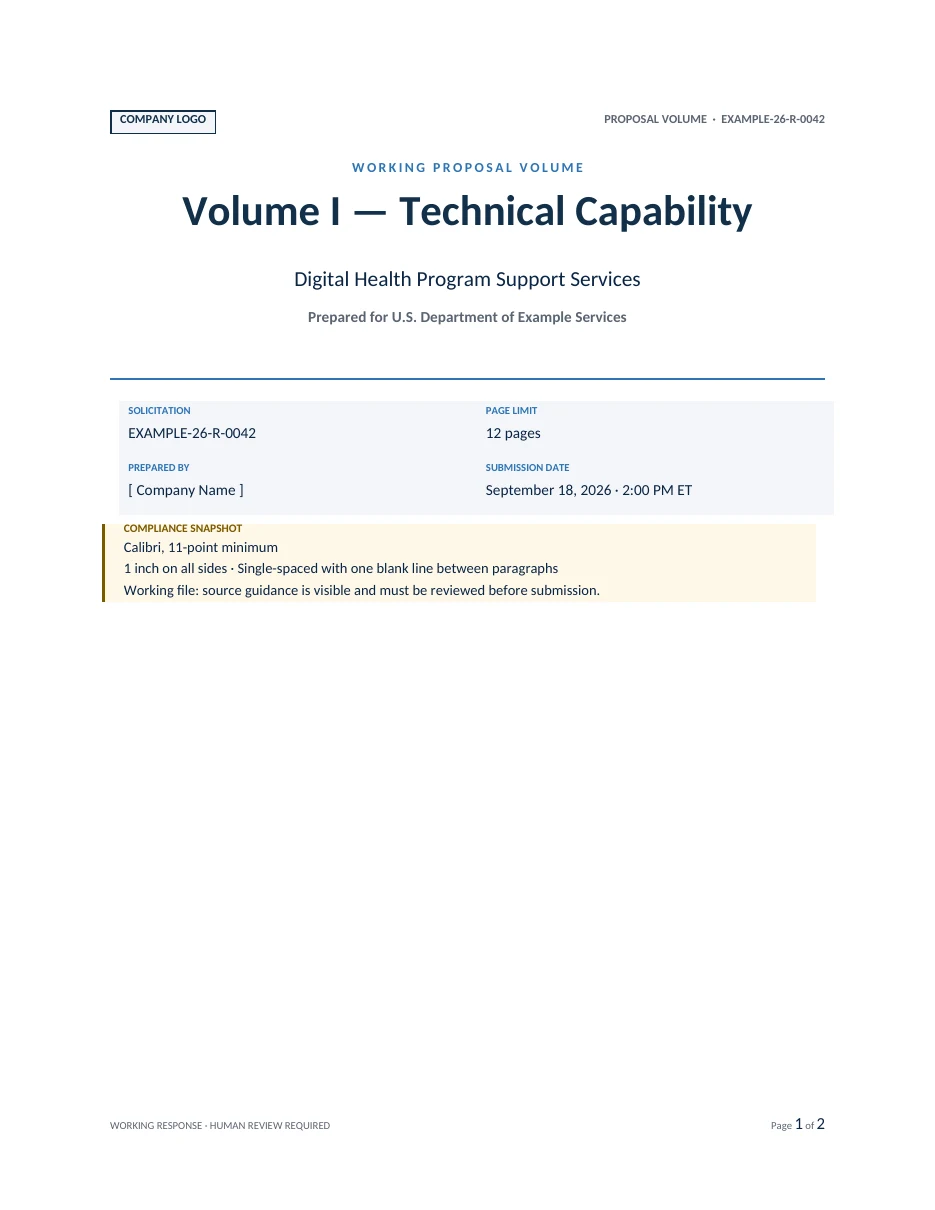
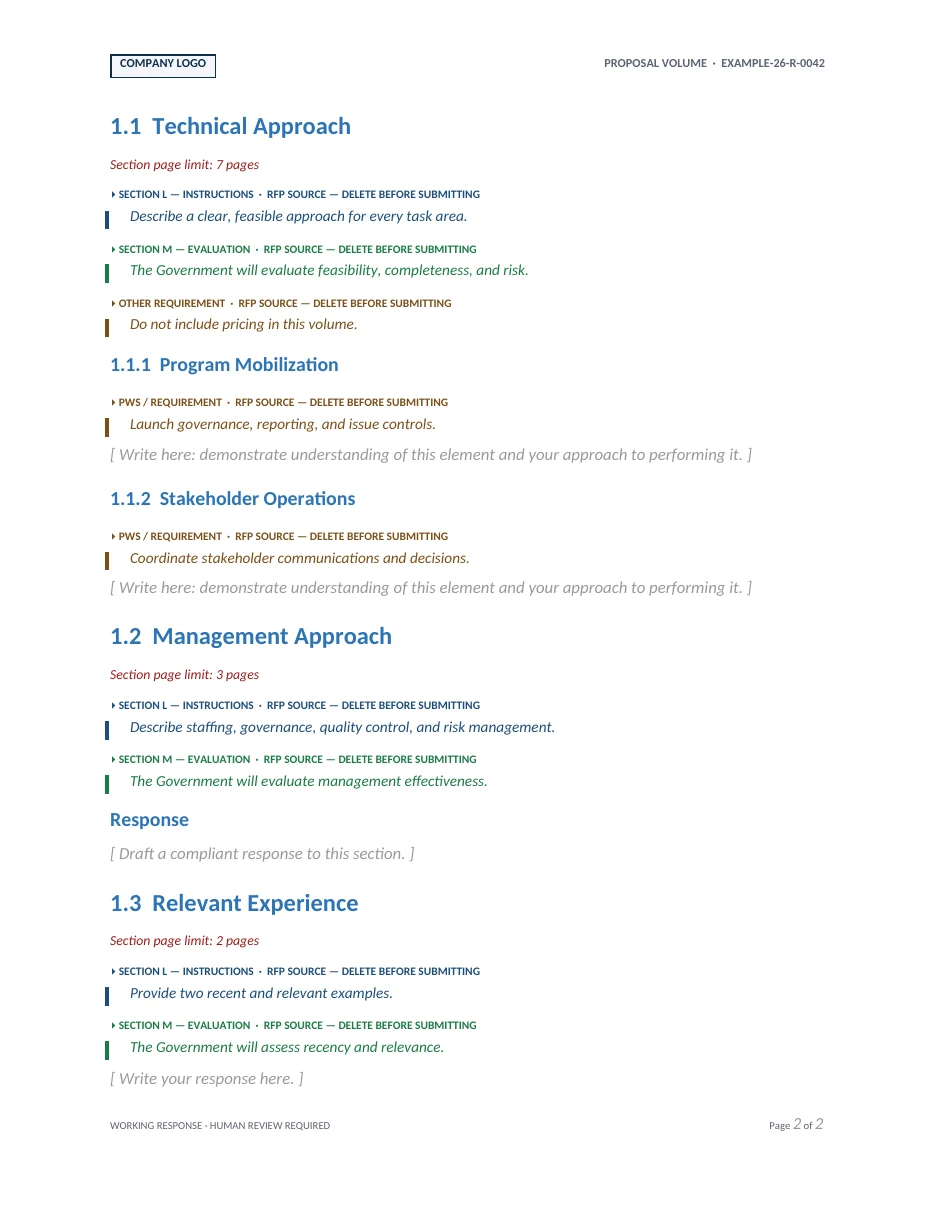
Proposals still ship as Word files, so the output is designed too. A neutral proposal style with real covers, real Word headings, page numbers, and placeholders for any company’s name and logo.
Working version: the agency’s instructions appear as colored callouts marked “delete before submitting,” right where the writing goes.
Clean version: the same structure with the source blocks removed.
Plus a capability statement and formatted proposal resumes from the same system.
Shown with sample data. No real company or proposal content.
Who it’s for
Built for the teams that read solicitations by hand.
Small and mid-size contractors
Firms without a proposal department, where the person reading Section L is also writing Volume I.
Proposal and capture managers
People who already know the vocabulary and want the first pass done, cited, and ready to check.
Teams that have been burned
Anyone who has lost a bid to a missed page limit or an unasked question, and wants the tool to admit what it doesn’t know.
Try it on a real solicitation.
The public demo walks through a historical VA opportunity in seconds. If you would like to run Proposal Hall on your own pursuits, get in touch.